+91 9824030645

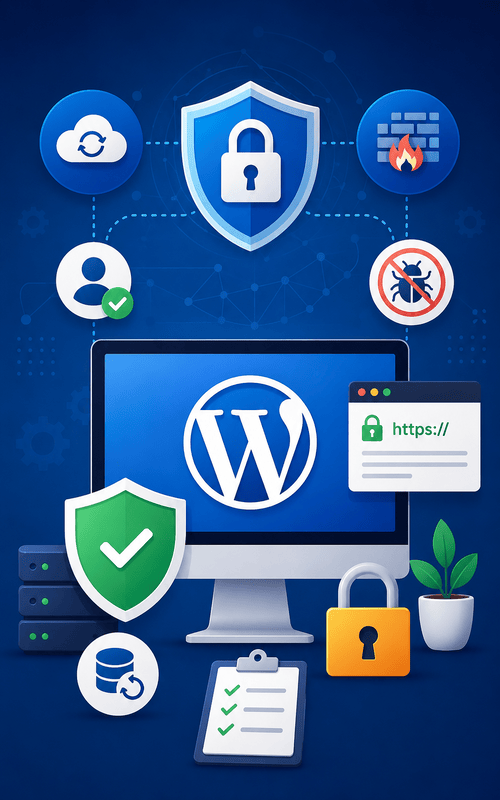
A secure website is essential for every business that wants to build trust, protect customer information, and maintain uninterrupted online services. WordPress is a powerful and flexible content management system, but like any widely used platform, it requires regular security measures to stay protected against cyber threats. Hackers often target websites with outdated software, weak passwords, or poor security configurations. The good news is that most security risks can be minimized by following best practices and maintaining your website regularly.
Whether you manage a business website, blog, portfolio, or eCommerce store, investing in WordPress security helps safeguard your digital assets and ensures a reliable experience for your visitors.
Why WordPress Security Is Important ?
Website security goes beyond protecting files and databases. A compromised website can lead to data loss, downtime, reduced search engine rankings, damaged business reputation, and loss of customer confidence. Strong security practices help maintain website availability while protecting sensitive information from unauthorized access.
Keep WordPress Core Updated
WordPress developers regularly release updates that include security improvements, bug fixes, and performance enhancements. Running an outdated version may expose your website to known vulnerabilities. Updating the WordPress core as soon as stable releases become available helps reduce security risks and keeps your website functioning efficiently.
Update Themes and Plugins Regularly
Themes and plugins add functionality to WordPress websites, but outdated components can become entry points for attackers. Install updates from trusted developers whenever they are released and remove plugins or themes that are no longer required. Keeping your website lightweight also improves overall performance.
Use Strong Login Credentials
Weak usernames and passwords are among the most common causes of unauthorized access. Create unique administrator usernames and use strong passwords that combine uppercase letters, lowercase letters, numbers, and special characters. Changing passwords periodically adds another layer of protection.
Enable Two-Factor Authentication
Two-factor authentication (2FA) provides an additional security layer during login. Even if someone obtains your password, they cannot access the website without the second verification step, significantly reducing the risk of unauthorized access.
Choose a Reliable Hosting Provider
Website security begins with dependable hosting infrastructure. A trusted hosting provider offers server-level security, firewall protection, malware monitoring, regular backups, and stable performance. Choosing professional hosting services helps reduce many common security concerns before they reach your website.
Install an SSL Certificate
An SSL certificate encrypts communication between your website and visitors, protecting sensitive information such as login credentials and contact form submissions. HTTPS also improves visitor confidence and supports better search engine visibility.
Schedule Regular Website Backups
Backups provide peace of mind in case of accidental deletion, software conflicts, or cyberattacks. Maintaining automated daily or weekly backups allows your website to be restored quickly if unexpected issues occur.
Limit Login Attempts
Unlimited login attempts make websites vulnerable to brute-force attacks. Restricting repeated login failures helps block unauthorized users from continuously trying different password combinations.
Scan for Malware Frequently
Routine malware scans help detect suspicious files, unauthorized changes, and harmful code before they cause serious damage. Regular monitoring enables faster response and helps maintain website integrity.
Use Trusted Themes and Plugins
Always download WordPress themes and plugins from reputable developers or official marketplaces. Avoid using nulled or pirated software because it often contains malicious code that can compromise website security.
Remove Unused Themes and Plugins
Inactive themes and plugins may still contain vulnerabilities even when they are not actively used. Deleting unnecessary software reduces potential security risks and simplifies website maintenance.
Protect the Admin Dashboard
Changing the default login URL, restricting administrator access, and monitoring login activity provide additional protection for your WordPress dashboard. Limiting access only to authorized users strengthens overall website security.
Monitor Website Activity
Website monitoring tools help identify unusual login attempts, file modifications, and suspicious activities. Early detection allows businesses to respond quickly before security issues become more serious.
Keep PHP Updated
WordPress relies on PHP to function efficiently. Running the latest supported PHP version improves website speed, compatibility, and security while reducing exposure to outdated vulnerabilities.
Use a Website Firewall
A web application firewall filters malicious traffic before it reaches your website. Firewall protection helps prevent attacks such as SQL injections, cross-site scripting (XSS), and automated bot activity.
Benefits of a Secure WordPress Website
-
Protects customer information and business data
-
Reduces the risk of hacking attempts
-
Improves website uptime and reliability
-
Builds customer trust and brand credibility
-
Supports better search engine performance
-
Prevents malware infections
-
Ensures faster website recovery through backups
-
Maintains smooth website functionality
-
Helps meet modern security standards
-
Creates a safer browsing experience for visitors
How Param Web Designs Can Help
At Param Web Designs, we provide professional WordPress website development, maintenance, security monitoring, and performance optimization services. Our team follows industry best practices to keep websites secure, updated, and running efficiently. From regular maintenance and plugin management to SSL implementation and website backups, we help businesses maintain a secure and reliable online presence.